Image to Video Prompts for Products, by Category
The prompts we used for real product videos of jewelry, watches, shoes, skincare, coffee and candles, each with the video it made. Plus a test that shows why you should not mention your label in the prompt.
Updated October 7, 2026
How a product video prompt works
The model already sees your product in the photo, so the prompt does not need to describe it again. It tells the model what moves and how the light falls. Each prompt below is the exact text we sent for the video next to it.
- Camera: one slow movement. Push in, orbit, or drift to the side.
- Product: say that it stays still, so that only the camera moves.
- One extra motion at most: steam, a flame, falling coffee beans.
- Light and mood: soft light that moves across the material, and a few words about the brand.
Jewelry
Use a slow push-in and say that the piece stays completely still. Let the light move across the metal and the stone.
Silver ring1:1 · 5 sec · made with ClipSKU
Prompt
Slow subtle push-in on the silver ring, the ring stays completely still, soft light gliding across the hammered texture and the turquoise stone, delicate handmade jewelry mood, premium product advertisement, no text
Watches
A slow dolly across the watch shows the case and the dial. As with jewelry, say that the watch stays still.
Steel watch16:9 · 5 sec · made with ClipSKU
Prompt
Slow subtle dolly across the wristwatch, the watch stays completely still, soft light gliding across the steel case and the dial, calm premium accessory brand mood, product advertisement, no text
Shoes and bags
An orbit shows the shape from more than one side. Say that the product stays still, and name the details you want the light to show: leather, stitching, hardware.
White sneakers1:1 · 5 sec · made with ClipSKU
Prompt
Slow cinematic orbit around the white leather sneakers, the sneakers stay still, soft light gliding across the leather texture and stitching, clean modern fashion brand mood, premium product advertisement, no text
Skincare and beauty
Glass and frosted bottles look good when light glides across them. A slow orbit suits a bottle that stands upright.
Serum bottle9:16 · 5 sec · made with ClipSKU
Prompt
Slow orbit around the serum bottle, soft light gliding across the frosted glass, gentle shadows, premium skincare advertisement, no text
Food and drink
One small motion makes food and drink feel fresh: coffee beans that fall, steam over a cup. Use only one, and keep the camera slow.
Coffee bag9:16 · 5 sec · made with ClipSKU
Prompt
Slow cinematic push-in on the coffee bag, a few roasted coffee beans gently falling in front of it, soft morning light, specialty coffee brand mood, premium product advertisement, no text
Candles and home decor
A flickering flame is enough motion for a candle. Add a slow push-in and a warm, cozy mood.
Soy candle9:16 · 5 sec · made with ClipSKU
Prompt
Slow cinematic push-in on the candle, warm flickering flame, soft bokeh background, cozy evening mood, premium product advertisement, no text
Keep labels and logos the same
We gave ClipSKU one candle photo with a printed AMBER & OAK label and the Orbit preset, twice. The first description said only what the candle is. The second one also asked to keep the label sharp and readable. We made one video each and did not retry.
Selling points only
The label turns with the candle and moves out of view, as a real label would.
Prompt
Hand-poured soy candle in amber glass, warm glow
Label named in the description
Halfway through the turn, a second AMBER & OAK label appears on the back of the jar.
Prompt
Hand-poured soy candle in amber glass, warm glow. Keep the "AMBER & OAK" label text sharp and readable.
Words that cause problems
Do not mention text, labels or logos in the prompt, not even to protect them. If the photo shows the label clearly, the model keeps it without being told. In our earlier tests, an instruction not to add text put made-up labels on plain products.
The category prompts above end with "no text". We wrote them before those tests. The products in those videos did not change, but we now leave these words out. These words also caused problems in our tests:
- Names of props, such as turntable. The model drew a turntable and replaced the background.
- Rim lighting, sparkles, lens flare. These added star-shaped flares.
- Big scene changes and close-up glides. A matte mug turned glossy, and the liquid in a clear perfume bottle changed shape.
Prompts in ClipSKU
In the Studio, you choose a camera preset and write a short description. ClipSKU adds the instructions that keep your product the same, so the description only needs what the product is and the mood you want. Leave out the label.
Keep reading
What Makes a Good Photo for an AI Product Video
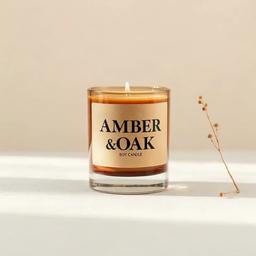
We took one candle photo, made four worse versions of it, and turned all five into videos with the same settings. The candle held up every time. Everything else in the photo carried over into the video.
How to Turn a Product Photo Into a Video
You need one product photo and a few selling points. Here are the five steps, a real result, and two real failures from our own tests, so you know what to check before you publish.